
 Documentation-based
Intel support documentation, Microsoft command references and RFC 791/792 reviewed October 21, 2026 with AI assistance. No Windows 11 VM, physical LAN, NAS, ping or throughput test was performed. Alex Reed is an established pen name.
For a typical home Windows 11 PC, keep Jumbo Frames disabled unless you have a specific local-network workload and can confirm compatible settings across its entire path. A larger number in the Ethernet adapter's Advanced tab is not a general internet-speed or gaming improvement.
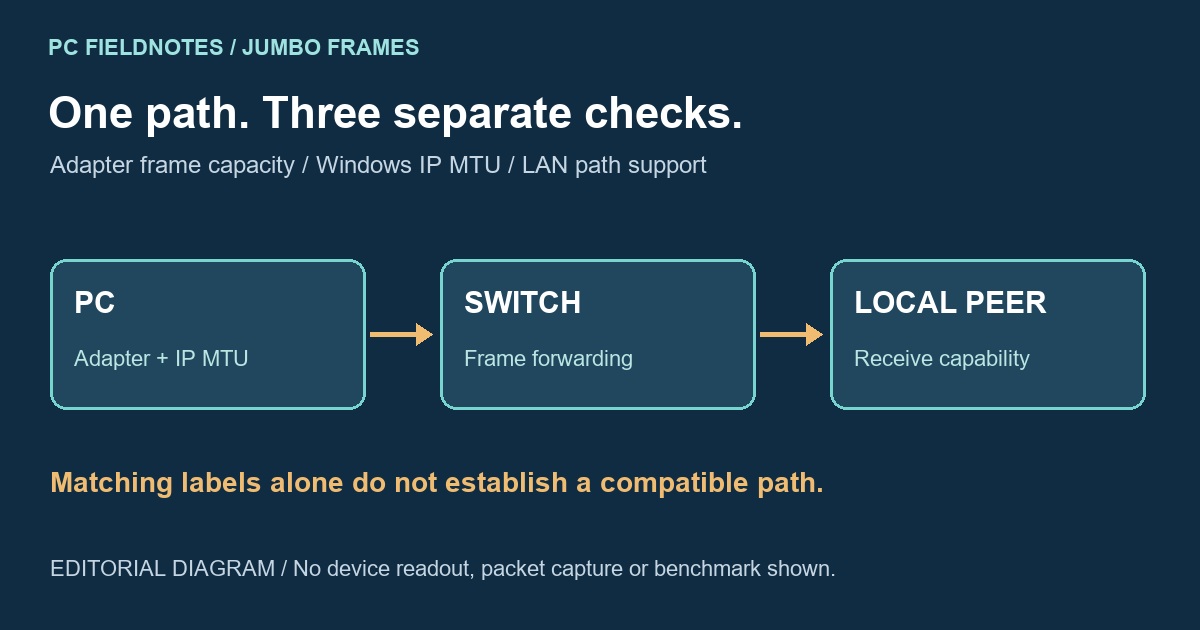
Before changing anything, record three things separately: the adapter's Jumbo Packet setting, Windows' IP MTU, and what the switch and destination support. A driver label such as 9014 and an IP MTU such as 9000 describe different limits; copying the same number into every device is not a reliable setup method.
The three settings belong in different places
The adapter controls which frame sizes it can handle. Windows also has a network-layer MTU for each IP interface. The physical path between the PC and peer must carry the resulting frames. Satisfying one layer does not establish that the other two match.
Intel's Jumbo Frame notes require compatible support and configuration across the network and warn that devices count frame sizes differently. The notes are a 2019 document with model-specific exceptions, not a current compatibility list for every Windows 11 adapter or switch. Check each actual device's documentation.
Intel's separate 10 Gigabit adapter settings reference lists Disabled (1514), 4088 and 9014 for the hardware it covers. It also says available settings vary. Treat those as that reference's driver labels, not as universal Windows IP MTU values or a formula for another manufacturer's switch. Header, CRC and tagging accounting can differ between equipment.
For a NAS transfer, identify the actual PC port, switch ports and NAS interface. A dock or a second switch is part of the path too. A successful website visit goes to a different destination and does not establish that this local path carries jumbo frames. If you cannot establish compatible support, leave the existing configuration in place.
Make a private record before considering a change
Replace Ethernet with the intended connection name. This reads the IP interface rather than changing it:
Get-NetIPInterface -InterfaceAlias "Ethernet" -AddressFamily IPv4 |
    Format-List InterfaceAlias, AddressFamily, NlMtuBytes
Microsoft defines NlMtuBytes as the network-layer MTU in bytes in Get-NetIPInterface. An interface will not transmit an IP packet larger than that limit. An adapter accepting larger frames does not, by itself, prove that this reported IP MTU changed.
For the driver side, read its exposed controls:
Get-NetAdapterAdvancedProperty -Name "Ethernet" |
    Format-Table DisplayName, DisplayValue
Get-NetAdapterAdvancedProperty returns the displayed advanced properties by default. Look for the Jumbo control actually supplied by this driver; its name can differ or be absent. Do not create a guessed registry value to make a missing control appear.
Alongside those values, retain the adapter model, driver version, switch and destination documentation, selected ports and any VLAN context. Keep device identifiers private. These are documented lookup examples; no output was captured from a tested Windows 11 LAN for this article.
A ping payload is smaller than its IP packet
An IPv4 probe can help investigate a known path once the devices are configured appropriately and the peer is authorized to answer ICMP. Microsoft's ping reference defines /l as the ICMP data length and /f as setting Don't Fragment for IPv4. The payload value is not the Ethernet frame size or the complete IP packet size.
For an ordinary IPv4 Echo Request with no IP options, add 20 bytes for the IP header and 8 bytes for the ICMP Echo header. Those header sizes follow RFC 791's IPv4 format and RFC 792's Echo format. The arithmetic is:
- 1472 bytes of echo data + 28 bytes of headers = a 1500-byte IP packet.
- 8972 bytes of echo data + 28 bytes of headers = a 9000-byte IP packet.
These are calculated examples, not measurements, and they do not include Ethernet overhead. IP options or encapsulation change the relevant accounting.
First confirm a small echo reaches an authorized local peer. For an appropriate 1500-byte IPv4 comparison, the syntax is:
ping /4 /f /l 1472 192.0.2.20192.0.2.20 is an example address, not a working target. Substitute the approved LAN peer's actual IPv4 address. Do not probe a public site or a VPN gateway as a substitute for the NAS path. Only consider /l 8972 after the intended interface and complete path are deliberately configured for the corresponding 9000-byte IP packet; a 1500-byte local MTU can prevent that request from leaving the PC at all.
A fragmentation-needed message therefore requires checking the local interface limit and the path; it does not identify a faulty switch. A timeout is also inconclusive because filtering or a peer that does not answer ICMP can look the same. A successful reply supports that particular Echo Request reaching that peer at that size. It does not measure file-transfer throughput, prove every application's traffic works, or establish that reply packets were returned with Don't Fragment set.
Keep a useful configuration only after a controlled comparison
If the workload is a repeated large file transfer to the same LAN peer, record a baseline with the current configuration first. Keep the file, peer, route and other adapter settings fixed. Arrange any device or interface change locally, with a recovery path; have the administrator handle shared switches, NAS devices and managed PCs.
After a justified configuration change, read both the adapter setting and IP MTU again, then repeat the intended transfer and ordinary connectivity checks. A successful small ping or one faster run is insufficient to establish a benefit. If problems begin, return the components you changed to their separately recorded values; toggling only the NIC's Jumbo setting is not a complete rollback if you also altered the IP MTU or another device.
If you are investigating a negotiated 100 Mbps link, begin with the link-speed guide. If the issue is Ethernet disconnecting, record whether the link disappears before changing packet sizes. For a receive-processing question, RSS is a separate control; avoid changing both together.
Sources reviewed October 21, 2026. No physical LAN, NAS, ping, throughput or Windows 11 VM test was performed. A VM alone cannot verify switch forwarding or the physical adapter's frame support. Recheck when the exact device documentation or network topology changes.
Related adapter settings: keep Large Send Offload separate from an MTU change, read Receive Side Scaling for receive processing across CPUs, and use checksum-offload controls to interpret the separate protocol and Rx/Tx settings.
