 Documentation-based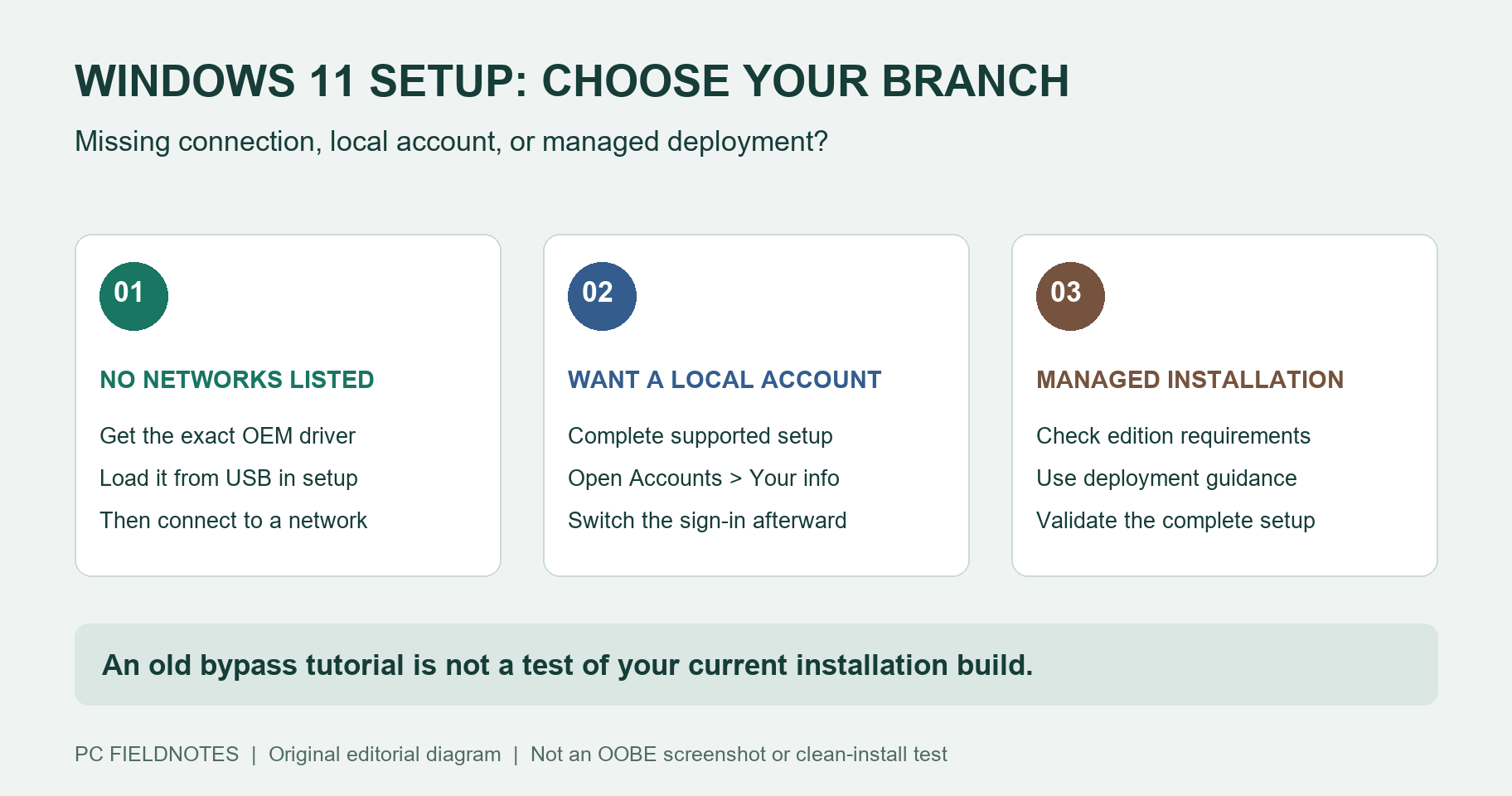
Microsoft Support, Microsoft Windows requirements, Microsoft Learn, and dated Windows Insider announcements reviewed October 10, 2026 with AI assistance. Documentation-only: no clean-install or physical network-driver test. Alex Reed is an established pen name.
Windows 11 Home and Windows 11 Pro for personal use require internet and a Microsoft account during initial setup, according to Microsoft's current system requirements. If you are stuck at the network screen, first separate a missing connection from a preference for a local account. Those lead to different next steps.
Last reviewed: October 10, 2026. This is a documentation-only guide, not a clean-install test. We have not verified which bypass commands work on your installation media or current retail build.
Choose the branch that matches your setup
| What you are trying to do | Start here |
|---|---|
| Get online, but setup lists no Wi-Fi networks | Check the network driver and connection options below. |
| Use a local account even though you can connect | Review the documented account switch after setup. |
| Deploy managed PCs or repeat an installation | Use deployment documentation for your edition and organization. |
A blank network list is not evidence that Microsoft has disabled your particular adapter. Conversely, loading a driver does not remove an account requirement. Keep a note of the PC model, installation-media source, Windows edition, and the exact screen or error before choosing a branch.
No networks listed: Microsoft's driver-loading route
Microsoft's setup connection guide documents this route for missing Wi-Fi drivers:
- On another device, obtain the correct driver from the hardware manufacturer. Unzip it and copy the extracted driver files to a USB drive, with the
.infat its root. For package selection, use our offline network driver guide. - Insert the drive. Press Shift + F10 in setup. Run
diskpart, thenlist volume, to identify its letter. Leave DiskPart withexit; do not use disk-erasing commands. - In the normal Command Prompt, use the actual USB letter in the example below. Scan again if necessary, then return to setup and check for networks.
pnputil /add-driver D:\*.inf
pnputil /scan-devices
Here D: is an example. An EXE-only package needs the manufacturer's installation guidance; it is not an INF file. We have not tested physical Wi-Fi hardware during OOBE.
The same Microsoft guide lists Ethernet, a USB-to-Ethernet adapter, another available 2.4/5 GHz network, and a phone hotspot as alternatives. A hotspot still needs working Wi-Fi. Check mobile-data costs and use a metered connection where appropriate.
You can connect, but want a local account
Microsoft documents a way to switch an existing Windows sign-in to a local account. Complete the supported initial setup, then open Settings > Accounts > Your info > Sign in with a local account instead. Follow the prompts, save your work before signing out, and verify that you can sign in again.
That is an account change after setup. It does not make the initial setup offline. A local account is specific to the device; Microsoft services can still require their own sign-ins. Before changing the account, confirm where any device-encryption or BitLocker recovery key is stored, rather than assuming that you will never need it.
For a separate local user, Microsoft also documents Settings > Accounts > Other users > Add account > I don't have this person's sign-in information > Add a user without a Microsoft account in its user-account guide. Creating another user is different from converting the account you already use. On an organization-managed PC, follow the administrator's account policy.
What the BYPASSNRO announcements actually establish
Older tutorials often show a shortcut without identifying the installation build. Microsoft's dated announcements establish narrower facts:
| Method or requirement | Official record | What it establishes |
|---|---|---|
bypassnro.cmd script | March 28, 2025: Dev build 26200.5516 | Microsoft announced removal of the script from that Insider build. |
| Local-account commands in OOBE | October 6, 2025: Dev build 26220.6772 | Microsoft announced removal of known local-account creation mechanisms in that preview. |
| Home and Pro for personal use | Windows 11 requirements, reviewed October 10, 2026 | Internet and a Microsoft account remain the documented initial-setup requirements. |
An Insider announcement is not a test of every retail ISO. This guide therefore does not label OOBE\BYPASSNRO, a BypassNRO registry value, or ms-cxh:localonly as universally working or universally removed on today's retail builds. We have no clean-install evidence to settle that for your media.
If an old command is missing or returns to the same screen, preserve the build and message. Repeating unrelated commands makes the result harder to interpret. Use the documented connection route or your deployment administrator rather than treating an undated workaround as a guarantee.
Managed and repeated installations
Microsoft documents answer-file settings for deployment. For example, HideOnlineAccountScreens belongs to the oobeSystem configuration pass and is primarily intended for enterprises. Its documented default is false; the supported editions and component configuration still matter.
That reference describes one setting, not a complete offline installation recipe for every Home or Pro PC. An administrator should build and validate the full deployment for the intended edition, account model, drivers, and setup requirements. This article supplies no untested answer file.
Avoid running remote scripts suggested by an unknown setup tutorial. Do not substitute a third-party driver archive for the manufacturer's package or alter hardware requirements to solve a networking problem.
Once you reach the desktop, switch to the narrower guide for the remaining symptom: no networks found, the Wi-Fi option is missing, or Ethernet has no link lights. Recheck this article when Microsoft changes its setup requirements or publishes a relevant release note.
