
 Documentation-based
Microsoft, TP-Link and IETF documentation reviewed October 29, 2026 with AI assistance. No physical Wi-Fi, AP registration, DHCP reservation or tracking test was performed; a virtual Ethernet adapter cannot verify physical Wi-Fi randomization. Alex Reed is an established pen name.
Random hardware addresses can be useful when you want to reduce tracking based on your Wi-Fi adapter's MAC address. Keep the network's requirements in view: a network that registers a particular device address or uses it for a router rule may need a consistent identity. Check that specific network before changing a setting for every Wi-Fi connection.
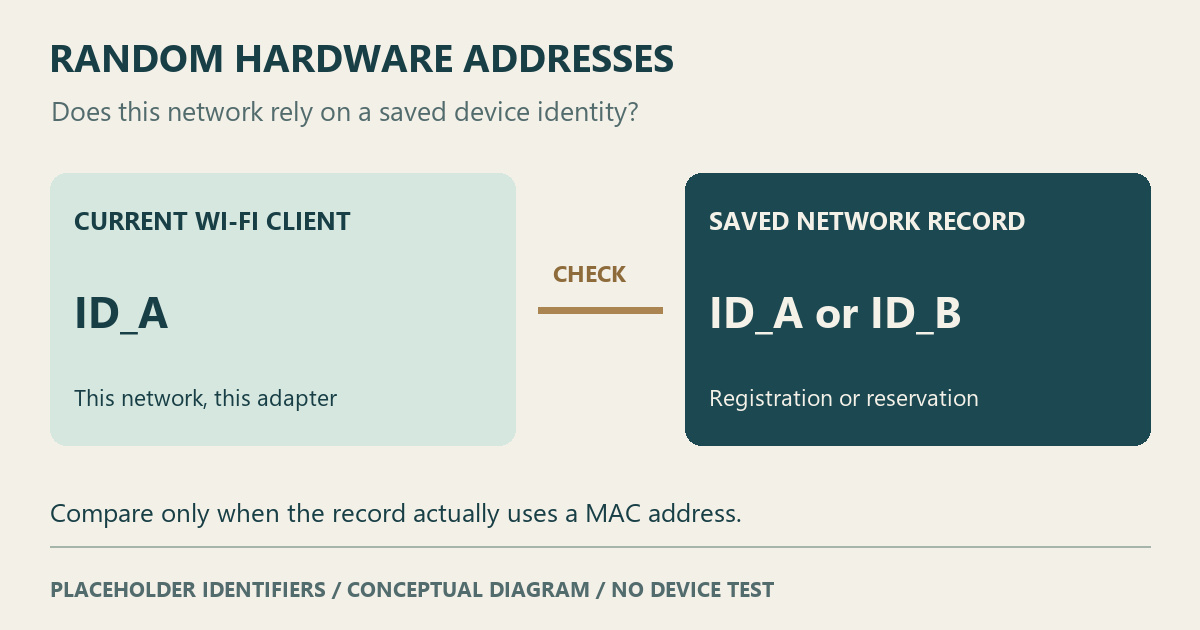
For a working personal connection with no address-based requirement, there is no need to disable the feature as a speed tweak. If access or a router reservation stopped working after an address change, compare the address currently used on that network with the one in its saved record. A mismatch is a clue to investigate, not proof that the adapter is defective.
First identify which control you are looking at
Microsoft's Wi-Fi connection guidance describes two controls. One covers Wi-Fi scanning and connections across networks; the other applies to a chosen saved network on its next connection. The feature requires support from the Wi-Fi hardware.
The documented paths are Settings > Network & internet > Wi-Fi for the general control, and Wi-Fi > Manage known networks > the chosen network for its individual control. Labels can differ across Windows versions and drivers. Record which control you changed, its original value and the network involved.
A change made for one office or campus network should not automatically become a decision for every café, hotel and personal network. If your PC is managed, ask its administrator which identity and policy the connection requires.
A privacy choice can also change a network's device record
The address used to identify a Wi-Fi client can matter to services that keep a record for that client. RFC 9797, an informational IETF document, explains that address randomization can disrupt network state and affect connectivity or user experience. It also discusses privacy limits where other stable identifiers remain in use.
That is a reason to check the service involved. It does not justify switching the feature off on every network, or treating a randomized address as a promise of complete anonymity.
For example, TP-Link's address-reservation instructions associate a reserved IP address with a device MAC address. If a reservation was entered for a different address, compare it with the client's current identity before deciding what to change. This is an inference from how the reservation is defined; we have not tested a particular router or Windows adapter here.
Keep these checks separate:
- For device registration, ask the network owner which address it expects and whether its process supports randomized addresses.
- For a home router reservation, check the router's current client entry against the reservation you actually created.
- For an unexplained connection failure, preserve the failure details before attributing it to address randomization.
Only inspect or edit router records you administer. Do not copy another device's address to satisfy a registration rule; use the network owner's enrollment process.
Do not assume when the address will change
A randomized address does not necessarily mean a new address on every reconnect. Microsoft's WLAN profile schema defines separate fields for enabling randomization and selecting a new address every day, with policy affecting the enabled state. A schema describes available configuration; it does not establish which behavior is active on your PC.
Read the choices your Windows installation exposes and any applicable administrator guidance. Avoid importing a timing rule from an iPhone, Android phone or another Windows driver. If a stable identity is required, confirm what the network supports instead of assuming that a setting labeled On will stay unchanged indefinitely.
Make one network's comparison traceable
Before an authorized comparison, keep a private note of the PC's active Wi-Fi adapter, the chosen network, the original setting and the relevant registration or reservation. Record the client's current address from the connection details or the network owner's client record, using the documentation for those tools. The graphic above uses placeholder identifiers; it contains no captured MAC address.
If you change the chosen network's setting, allow for a reconnect and compare the original symptom again. Restore the recorded value if the change brings no clear benefit, and review any address-based records that the comparison affected. A successful reconnect by itself does not establish why the earlier attempt failed.
For recurring interruptions, retain the timing and events in a Windows Wi-Fi report. A correct password with a failed connection still needs its own diagnosis. A missing hotel Wi-Fi sign-in page is another separate task; this setting is not a universal way to skip registration or a captive portal.
Documentation reviewed October 29, 2026. The identity comparison and suggested record are editorial guidance. No physical Wi-Fi address, access-point registration, DHCP reservation or tracking test was performed. A virtual Ethernet adapter cannot verify a physical Wi-Fi driver's randomization behavior. Recheck the guidance when the relevant Windows policy, OEM driver or network-registration process changes.
