
 Documentation-based
Intel, Microsoft Learn and Cisco documentation reviewed October 26, 2026 with AI assistance. No physical adapter, switch, VLAN or gaming test was performed. A virtual machine cannot validate physical tagging behavior. Alex Reed is an established pen name.
Leave Priority & VLAN at the adapter or PC manufacturer's original setting unless your network configuration requires a change. On supported Ethernet adapters, this property controls priority and VLAN tagging capabilities. Enabling it does not, by itself, assign your PC to a VLAN or give a game priority across the internet. First establish whether the network expects tagged traffic from this PC.
This guide explains the adapter property, including labels such as Packet Priority & VLAN and QoS Packet Tagging. It is based on vendor and Microsoft documentation reviewed October 26, 2026. No physical adapter, managed switch, VLAN connection, or gaming performance was tested; a virtual machine cannot establish those hardware results.
Read the label as a capability, then check the network plan
Intel's Priority and VLAN Tagging reference describes a setting that lets the adapter perform insertion and removal of priority and VLAN tags. Its documented choices separate the two capabilities:
| Documented Intel choice | Capability selected |
|---|---|
| Priority & VLAN Disabled | Neither priority nor VLAN tagging enabled by this property |
| Priority Enabled | Priority tagging enabled |
| VLAN Enabled | VLAN tagging enabled |
| Priority & VLAN Enabled | Both tagging capabilities enabled |
These names describe that Intel implementation. Your OEM driver may expose a different list, a separate VLAN ID property, or no corresponding control. Do not translate a numeric registry value from an unrelated adapter into a setting for yours.
The priority and VLAN portions carry different information. Microsoft's IEEE 802.1Q packet description distinguishes a priority code point, used for Ethernet traffic classes, from a VLAN identifier, which identifies the virtual LAN to which a packet belongs. Selecting a capability is only one part of making use of that information.
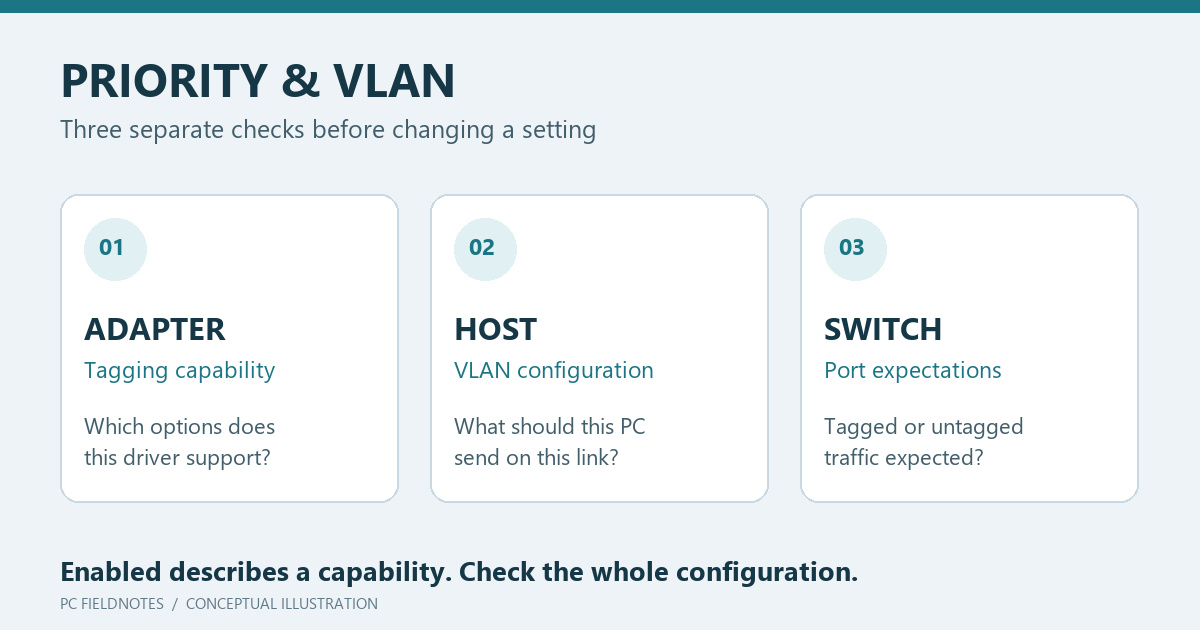
For a useful check, collect three separate facts: the adapter's tagging setting, the supported host configuration that selects the intended VLAN, and the switch port's expectations. A screenshot of the first item cannot prove the other two. That is why an Enabled dropdown is insufficient evidence that a VLAN connection is ready.
An untagged PC connection can still belong to a VLAN
A network administrator may assign a switch access port to a VLAN while the attached PC sends ordinary untagged traffic. Alternatively, a link may be designed to carry tagged traffic from a VLAN-aware host. Ask which arrangement applies before choosing a VLAN ID on the PC. Cisco's VLAN configuration guidance explains how tags distinguish VLAN traffic on trunk links; that does not make every desktop connection a trunk.
For a normal home Ethernet connection with no documented tagging requirement, keep the original adapter value. There is no need to invent a VLAN number to use the internet. If an office or lab provides a VLAN configuration, ask for the expected host behavior and the supported configuration method, rather than copying a number from another machine.
If this property was changed immediately before connectivity failed, record the current value and restore the known previous value as a controlled comparison. Keep the cable and switch port the same. If that restores access, you have a useful observation for support, but it does not establish how every driver implements tagging.
An address starting with 169.254 calls for the address-assignment checks, while a negotiated 100 Mbps connection belongs in the link-speed checks. Neither symptom alone proves that Priority & VLAN is the cause.
Check the Windows 11 support boundary before following old Intel instructions
Intel's Windows 11 compatibility notice says Intel PROSet and Intel Advanced Network Services are not supported on Windows 11. That includes the Intel ANS features for creating teams and VLANs. Intel separately states that Windows 11 Ethernet driver support is available.
This is a limit on those Intel utilities and features, not a statement that Windows 11 cannot use VLANs under any supported arrangement. A generic Intel manual covering multiple products also does not certify a particular Windows 11 adapter, driver, or configuration tool. Check the PC or adapter manufacturer's documentation for the exact model and driver package.
If an old tutorial depends on Intel ANS commands or a VLAN creation tab that your supported Windows 11 package does not provide, stop at that mismatch. Installing an obsolete package or manufacturing a registry property is not a supported substitute. Hyper-V virtual adapter configuration is a separate topic and is outside this guide.
Record what exists before testing a change
Record the adapter model, driver version, exact property label, original value, and the reason for testing. Intel's advanced settings reference discusses QoS Packet Tagging / Priority & VLAN, but it is not a universal settings prescription for other vendors.
You can inspect the properties that a driver exposes with Microsoft's read-only Get-NetAdapterAdvancedProperty command. Replace Ethernet with the actual adapter name:
Get-NetAdapterAdvancedProperty -Name "Ethernet" |
    Format-Table DisplayName, DisplayValue
The command reports configuration; it does not prove what left the physical port. If the relevant property is absent, check vendor support rather than adding one. If a change is justified, make it locally when a brief interruption is acceptable, alter only that property, and retain a way to restore the exact original value.
Check the outcome that matters: access to the intended network and service. For a managed VLAN, have the administrator confirm the port and host configuration. A faster speed-test result alone does not verify VLAN membership, and a single lower ping does not establish a gaming benefit. Keep the existing adapter binding checkboxes separate from this Advanced property; they describe a different configuration layer.
