
 Documentation-based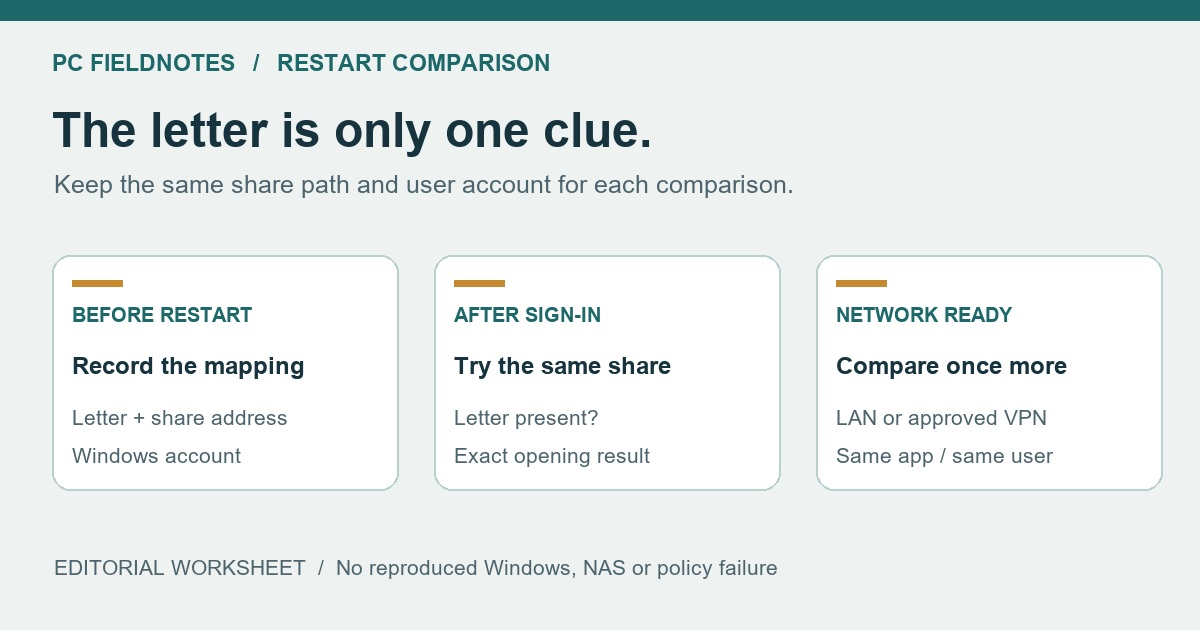
Microsoft file-sharing, net use, Credential Manager, session-context and Group Policy documentation reviewed October 19, 2026 with AI assistance. Documentation-based synthesis; no NAS, domain-policy or failed-reconnection test was performed. Alex Reed is an established pen name.
If a mapped network drive disappears after restarting Windows 11, first try its original share address in File Explorer, under the same Windows account that used the drive. A missing drive letter, a visible drive that will not open, and a drive missing only inside an administrator application need different checks. Recreating the mapping before making that comparison can hide the useful distinction.
Keep the original server name and share path. For example, \\FILEPC\Projects identifies a share; P: is only the local letter assigned to it. The names in this guide are examples. Use the address supplied by the folder owner, and do not substitute a guessed IP address or create another account to get around a connection error.
Make a before-and-after record
Before the next restart, note the drive letter, full share path, Windows account, and whether the folder opens. After signing in again, compare the same items before deleting or remapping anything. Use a normal File Explorer window and an ordinary Command Prompt, rather than starting with Run as administrator.
net useMicrosoft's net use reference documents this command without arguments as a connection inventory. Read the entry for the affected letter and compare its remote path with your record. Keep the output private or redact account, device, and share names before sharing it.
Use this small worksheet to describe the failure precisely:
| Observation | Before restarting | After signing in | After the required network or VPN is ready |
|---|---|---|---|
| The expected letter appears in This PC | Record yes or no | Record yes or no | Record yes or no |
| Opening that letter works | Record the result | Record the exact error | Try once and record the result |
| The original share address opens directly | Record the result | Record the exact error | Compare using the same address |
| The affected application has the same access | Record its name and context | Compare normal versus elevated use | Record any remaining difference |
Do not fill the sheet from memory. An error captured at sign-in and an attempt made after connecting a work VPN describe different conditions. A later success does not establish what was available at the first attempt.
The share opens, but the letter has gone
If the original address opens in File Explorer and the intended letter is absent, check how the mapping was created. For a personal mapping that you own, Microsoft's Windows file-sharing instructions describe This PC > More > Map network drive. The command is also available by right-clicking This PC.
Choose an unused letter, enter the confirmed folder path, and select Reconnect at sign-in when the mapping should return at future sign-ins. Finish the connection, open the folder, then compare it after signing out or restarting. This option does not turn on the server, create a remote account, or grant folder permissions.
Do this only after confirming that no application or organization policy expects the old mapping. If your employer provides the drive, ask IT to check its assigned mapping rather than creating a second competing one. Preserve the original path and letter in the report.
The letter remains, but opening it fails
A visible entry is insufficient proof that the share is accessible. Try the original address once, and keep the resulting message:
- The address asks for credentials or rejects the account: follow the network-credentials guide. A remembered mapping and a usable remote identity are separate requirements. Do not put a password in a startup script.
- The address cannot be found or reached: check whether the server is available and whether its required LAN or approved VPN connection is established. The NAS and PC discovery guide separates an absent Network listing from direct share access.
- The message explicitly blocks guest access or names signing: use the SMB guest-access guide. Repeated remapping will not change the remote server's authentication capabilities.
- The same address opens after the network is ready: retain both attempt times and results. This narrows the investigation to reconnection timing or its dependencies; it does not prove a particular Windows service or patch caused the failure.
If an old saved entry is involved, Microsoft's Credential Manager documentation identifies Windows Credentials as the place for saved network credentials. Change only an entry confirmed to be stale, with the correct replacement available. Do not erase unrelated credentials as a drive-reconnection experiment.
Explorer works, but an administrator application cannot see the drive
Record which application fails and whether it runs elevated or under another account. Microsoft's mapped-drive session-context article explains that drive-letter associations belong to a logon session. A mapping visible in normal Explorer can therefore differ from what an elevated process sees.
Its documented scenario includes particular UAC and policy conditions, with older operating systems named in the article. Treat it as an explanation of a context difference, not proof that your Windows 11 build has that exact fault. If the application does not require elevation, use its normal supported launch method. If it does, have IT choose a supported access method for that application and account. Do not disable UAC or copy an EnableLinkedConnections registry change as a universal fix.
A work mapping disappears again after you recreate it
Escalate a repeatable policy-managed failure with the worksheet, exact share path, affected account, and sign-in time. Microsoft's Group Policy drive-mapping scenario shows why successful application of a mapping policy does not end the investigation: in that example, a separate logon script removed the mapping afterward.
That is one documented cause, not a diagnosis of your PC. Let the administrator inspect the relevant policy and sign-in evidence. Repeated local remapping can obscure the sequence. Do not change domain policy, disable security controls, or download troubleshooting scripts merely to reproduce the example.
There is also an older Microsoft article about reconnection failure in Windows 10 version 1809. Its 2018 workaround is frequently surfaced for this symptom. The named release and date matter: it does not establish a current Windows 11 regression. This guide does not prescribe its startup scripts or execution-policy changes.
Evidence and limits: Sources checked October 19, 2026. The worksheet combines observable states into an editorial comparison; it contains no measured results. We did not reproduce a restart failure, access a NAS, test a domain, or validate a specific Windows 11 build. A static VM screenshot would not establish why a real share fails to reconnect, so no Windows screenshot or hardware test is claimed.
