
 Documentation-based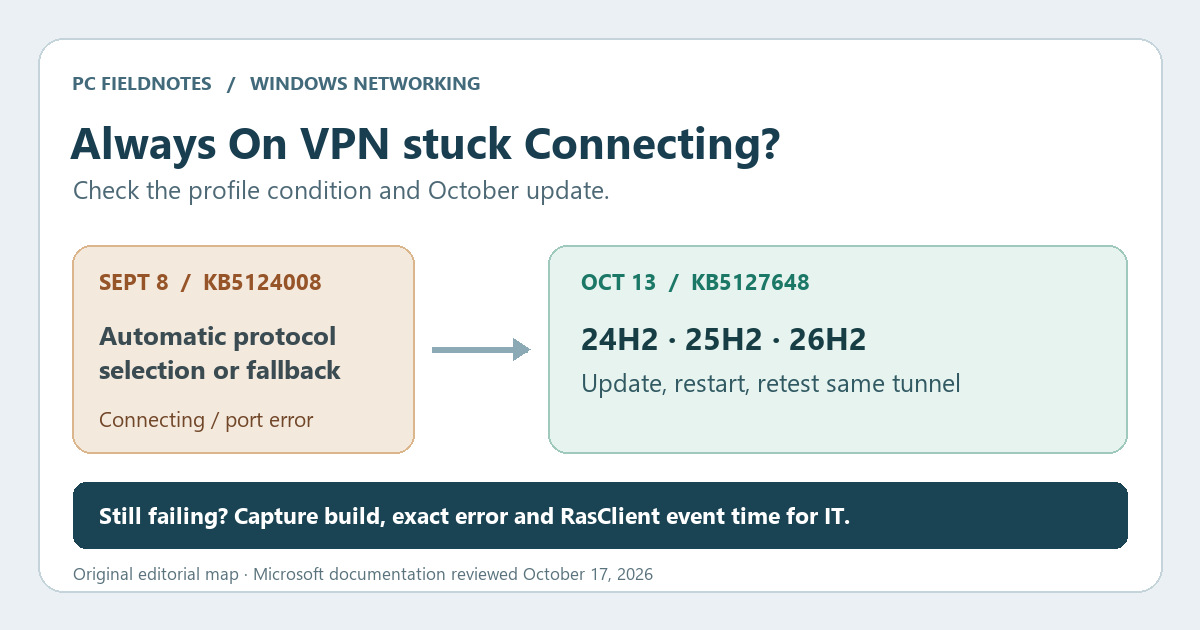
Microsoft KB5127648, KB5127646, Always On VPN overview and troubleshooting reviewed October 17, 2026 with AI assistance. Documentation-based guide; no matching enterprise VPN reproduction or rollout test. Microsoft Q&A is user signal only. Alex Reed is an established pen name.
If a managed Always On VPN connection began hanging at Connecting after the September 2026 Windows update KB5124008, check the client’s update level before changing the VPN profile. Microsoft says its October 13 update fixes a specific failure involving automatic protocol selection or protocol fallback. A retry could also say “The specified port is already in use.” On Windows 11 24H2, 25H2, and 26H2, the relevant October update is KB5127648. Coordinate installation with your IT team, then retest the same tunnel on the same network.
That description is narrower than “all VPNs broke after an update.” If the connection reaches Connected but internal sites fail, or an October-patched client still cannot authenticate, follow the normal VPN investigation rather than treating this release note as proof of the cause.
Match the incident before applying the fix
The October note points to a combination of time, profile setting, and symptom:
- The failure started after the September 8 KB5124008 update or a later update that carried its changes.
- The affected connection is an organization-managed Always On VPN profile with automatic protocol choice or fallback configured.
- It remains at Connecting, fails after an initial attempt, or a subsequent attempt reports “The specified port is already in use.”
A September Microsoft Q&A report describes a certificate-based enterprise deployment that stopped connecting after KB5124008. It is a useful report of the question people faced, not evidence that every VPN failure has the same root cause. A home VPN app, a missing Wi-Fi adapter, and an October MS-CHAPv2 single sign-on change are separate paths.
Confirm the client build and update
On the affected Windows client, open Settings → Windows Update → Update history and record the latest cumulative update. Run winver to record the version and OS build. Microsoft's October release identifies these build targets:
| Windows 11 version | October 13 update | OS build listed by Microsoft |
|---|---|---|
| 24H2 | KB5127648 | 26100.9711 |
| 25H2 | KB5127648 | 26200.9711 |
| 26H2 | KB5127648 | 26300.9711 |
Microsoft lists a separate KB5127646 release for 26H1. Do not use the 24H2–26H2 build table to identify a 26H1 machine. An update appearing in history is a useful lead; the actual build and a successful retest matter more than assuming a displayed KB fixed this particular client.
For managed devices, let the administrator use the organization's approved update channel. Do not remove a security update or switch tunnel protocols merely because a forum post describes a workaround. Changing an IKEv2 device tunnel is especially different from changing a user tunnel: Microsoft's Always On VPN overview says device tunnels support IKEv2 only, while user tunnels can use IKEv2 or SSTP fallback.
Retest the same path
After the October update and required restart, connect from the same network with the same user and device tunnel arrangement. Note whether it connects on the first try and reconnects after a brief network interruption. Record the exact error wording, time, VPN profile name, Windows version/build, and whether automatic protocol selection or fallback is configured. A successful connection on a different VPN profile or network does not confirm the original failure is resolved.
If the October-patched client still fails, Microsoft's Always On VPN troubleshooting guide separates client, certificate, NPS, server reachability, and firewall causes. Ask the administrator to compare the client's RasClient application events with NPS logs when authentication is involved. An error 809 or 812, for example, points to a different diagnostic path in that guide. Do not infer a certificate or server fault from the Connecting label alone.
If Windows says No internet while web access works, that is another network-status question, not this VPN update fix. If someone suggests a broad network reset, check what it removes before changing a managed profile.
What to give IT support
Send the build and KB, the profile/tunnel type, whether protocol selection or fallback is automatic, the first failed date, the exact message, and a same-path retest result after the October update. Include relevant RasClient event times; the administrator can correlate server-side NPS or Remote Access records. Avoid sending certificates, private keys, passwords, or full logs in a public forum.
Evidence boundary: This is a documentation-based guide reviewed October 17, 2026. Microsoft's release note identifies the specific fix; we did not reproduce the failure on a matching enterprise VPN or test an organizational deployment. Recheck the release note if Microsoft changes its scope or resolution.
