
 Documentation-based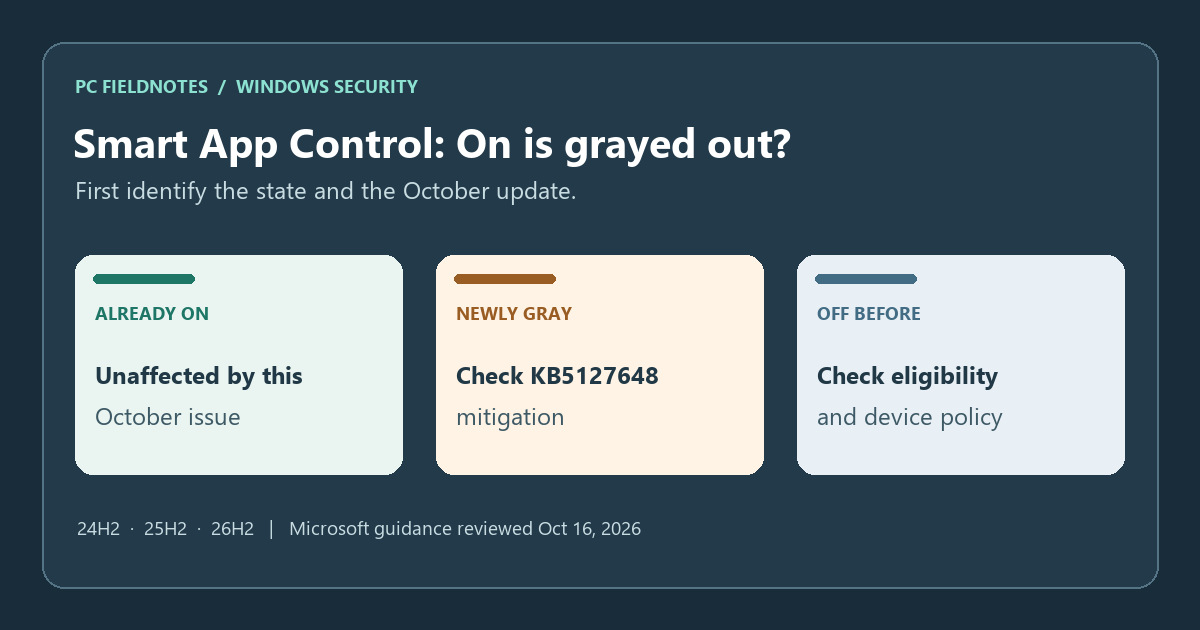
Microsoft KB5127648, Smart App Control FAQ, and Windows Security overview reviewed October 16, 2026 with AI assistance. Documentation-based guide; no gray-control failure, registry or Group Policy mitigation, or reset was tested. Alex Reed is an established pen name.
If Smart App Control was off and its On option became grayed out after the October 13, 2026 Windows 11 update, check Microsoft's KB5127648 known issue before resetting Windows. Microsoft lists this problem for some devices on 24H2, 25H2 and 26H2 and provides a registry mitigation or, for managed devices, a two-policy alternative. It says devices where Smart App Control was already On are unaffected by this issue and remain protected.
Start in Windows Security > App & browser control > Smart App Control settings, as shown in Microsoft's Windows Security overview. Note the current Smart App Control state, whether On can be selected, the Windows version/build, and whether KB5127648 or a later applicable update is actually installed. An update appearing in Windows Update is not proof that it installed.
Is this the October known issue or a different Off state?
| What you see | First interpretation | Next check |
|---|---|---|
| Smart App Control is Off; On became unavailable after the October update on 24H2, 25H2 or 26H2 | It may match the KB5127648 known issue. | Confirm update history and compare the exact symptom with Microsoft's mitigation. |
| Smart App Control was already On and still says On | KB5127648 says this group is not affected by this issue. | Do not change working protection because of the notice. |
| Smart App Control was unavailable before the update, or the device is managed, in developer mode, in S mode, or has optional diagnostic data off | The Smart App Control FAQ lists other eligibility and Off-state reasons. | Check the device's actual policy and history; do not assume the October workaround applies. |
The FAQ also says a user or another account may have turned the feature off. That is different from proving an update defect. On a work or school PC, ask IT whether the setting is intentionally controlled; do not override an organizational policy yourself. This is the Smart App Control setting, not the same question as a Defender turned-off notification.
Check version and update scope before applying a mitigation
Open Settings > System > About for the Windows 11 version and OS build, then Settings > Windows Update > Update history for the installed KB. Microsoft's October update note applies this Smart App Control known issue to 24H2, 25H2 and 26H2. It does not list 26H1 in this issue's scope. If your version or symptom differs, use the FAQ and your device administrator's guidance instead of copying a fix for another branch.
If you are on 24H2 Home or Pro, there is also a separate servicing question: the October 2026 security release is their last monthly update. Our 24H2 edition and update guide explains that deadline. The support deadline does not by itself diagnose a grayed-out Smart App Control control.
Use the matching Microsoft mitigation
For an affected, personally managed device, KB5127648 gives a registry method to restore the ability to turn Smart App Control on. Microsoft's steps call for an elevated Command Prompt, two distinct FeatureManagement override values, and a restart. The exact commands and registry-backup instructions are in the KB. Back up the registry as Microsoft directs, check that the device matches the issue, and use both official values rather than a single copied command. After restarting, return to Windows Security and verify whether On is selectable; the mitigation restores the choice, so inspect the actual state rather than assuming protection is on.
For an IT-managed fleet, the same KB offers a special Group Policy route. Microsoft lists two policy downloads for Windows 11 24H2/25H2/26H2 and says to install and enable both, then restart. One is needed to turn Smart App Control on; the other keeps troubleshooting logs available. IT should use its normal change control and pilot process. A user should not apply a local registry override to work around a managed setting.
Microsoft still says it is working on a general resolution in an upcoming release. The two methods above are its current documented mitigations, not proof that every gray control has the same cause.
If On remains unavailable
Record the exact Windows version/build, installed KB, Smart App Control state, when the control first became gray, whether the device is managed or in developer/S mode, and the optional diagnostic-data setting. Compare that record with Microsoft's FAQ, then take it to IT or Microsoft Support if the KB path did not match or did not restore the choice. Do not repeatedly edit registry values without a diagnosis.
Microsoft's general App & browser control overview still contains older clean-install wording, while its current FAQ says recent Windows updates allow Smart App Control to be enabled again without a clean installation. The FAQ also names special cases, such as S mode or optional diagnostic data being off, that may require a reset or reinstall. Read the current condition that applies to your device before considering any reset; back up personal data and confirm the path with support first.
Scope and evidence
Reviewed October 16, 2026 against Microsoft KB5127648, the Smart App Control FAQ, and the Windows Security overview. This is a documentation-based decision guide. PC Fieldnotes did not reproduce the gray control, change a registry value or Group Policy, reset a PC, or verify a repair on a physical device. The cover is an editorial triage card, not a Windows screenshot. Recheck the KB's known-issue section before acting because Microsoft may update its resolution.
