
 Documentation-based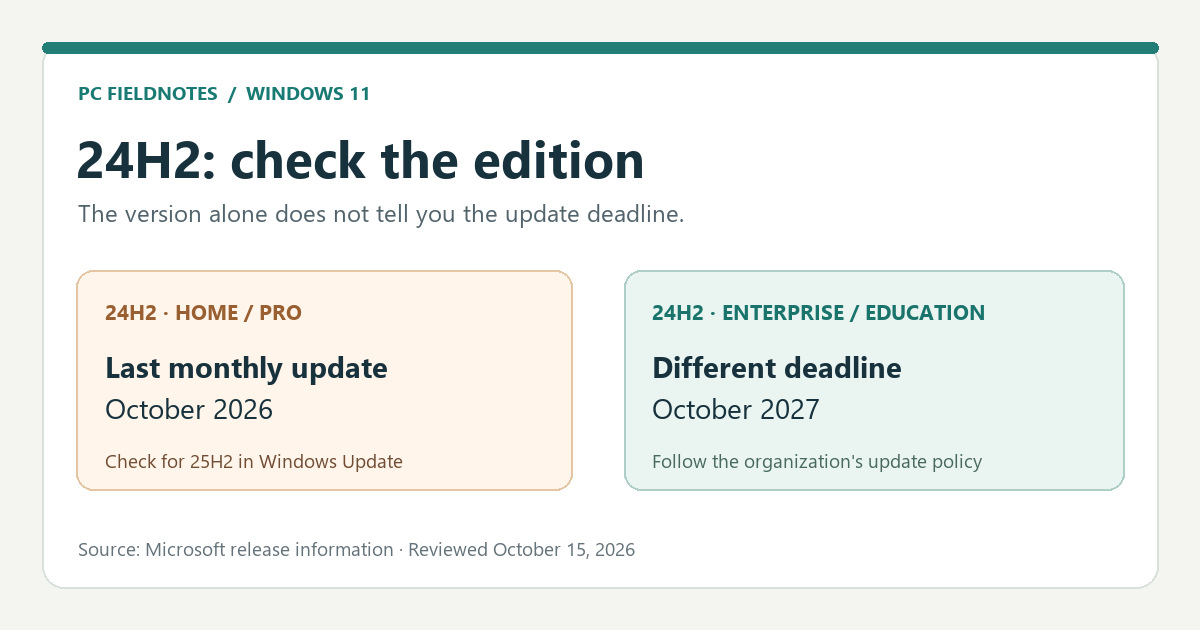
Microsoft KB5127648, Windows 11 release information, 24H2 release health and update documentation reviewed October 15, 2026 with AI assistance. Documentation-based guide; no physical or managed upgrade was performed. Alex Reed is an established pen name.
Windows 11 version 24H2 Home and Pro received their last monthly security update in October 2026. If your PC still shows both 24H2 and Home or Pro, check Windows Update for a newer supported version, such as 25H2. First confirm the edition: a work PC running 24H2 Enterprise or Education has a different update deadline.
Microsoft's October 13 update notice for KB5127648 calls it the last monthly security update for 24H2 Home and Pro. “End of updates” does not shut down Windows or remove installed updates. It means that those editions will not receive subsequent monthly security and non-security preview updates on 24H2. Moving to a supported Windows 11 version restores the regular servicing path.
Check the version and edition together
Open Settings > System > About and read both Edition and Version under Windows specifications. Record the OS build if you need to ask for help. The edition is as important as the 24H2 label: winver can confirm a version, but About gives you the edition as well. Microsoft's device-information instructions describe this read-only check.
| What About shows | What the October deadline means | Next move |
|---|---|---|
| Windows 11 24H2 Home or Pro | The October 2026 security update was the last monthly update for this version and edition. | Check Windows Update for a supported feature update, normally 25H2 when offered. |
| Windows 11 24H2 Enterprise or Education | The Home/Pro deadline does not apply. Microsoft's release table lists updates through October 12, 2027 for these editions. | Follow the organization's update policy; do not change a managed PC's feature-update target yourself. |
| Windows 11 25H2 or 26H2 | You have already moved past the 24H2 Home/Pro servicing cutoff. | Continue normal Windows Update checks; this 24H2 notice is not your current version's deadline. |
| An LTSC edition | It follows its own lifecycle, outside the general Home/Pro row. | Check the exact LTSC edition and your administrator's servicing plan. |
The Windows 11 release-information table lists 24H2's end of updates as October 13, 2026 for Home, Pro, Pro Education and Pro for Workstations, and October 12, 2027 for Enterprise, Education, IoT Enterprise and Enterprise multi-session. Microsoft's separate Home/Pro lifecycle product page lists October 14 in Pacific Time. This guide uses the operational last-update date from KB5127648 and the release table, rather than presenting those two Microsoft date fields as identical.
Take the supported update route
On an unmanaged Home or Pro PC, open Settings > Windows Update, select Check for updates, and review any offered Windows 11 feature update. Microsoft's 24H2 release-health page says eligible, non-IT-managed 24H2 Home/Pro devices receive 25H2 automatically; you can choose or postpone the restart. If 25H2 is offered, use that normal update flow and allow the installation and restart to finish. Devices upgrading from 24H2 use a 25H2 enablement package, according to Microsoft's 25H2 technical overview.
Microsoft also released 26H2 in September 2026, but its availability can differ by device. A missing 26H2 offer is not a reason to stay on 24H2 or bypass update protections: 25H2 is a supported move when Windows Update offers it. If you are specifically trying to understand why 26H2 is absent, use our separate 26H2 availability guide. Do not choose 26H1 as an upgrade target for an existing 24H2 PC: Microsoft's release-information page says 26H1 is for new devices and is not an in-place feature update from 24H2 or 25H2.
If Windows Update reports that an update is not yet ready for your device, note the exact message and check whether your PC is managed by work or school. Microsoft uses safeguard holds to stop offering a feature update where a known compatibility issue could cause problems; it advises against manually updating through a hold. For a managed device, send the edition, version, build and Windows Update message to IT. A feature-update policy may determine what is offered.
Confirm what installed
After the restart, return to Settings > System > About. Success for this task means the Version now reads a supported version such as 25H2 or 26H2; merely seeing an October 2026 quality update in history does not mean you left 24H2. Use Settings > Windows Update > Update history to record the installed feature update and date if you need a support record. Check again for any remaining updates after the feature update finishes.
If About still says 24H2, keep these facts together for support: exact edition, version and OS build; whether KB5127648 appears in Update history; the Windows Update offer or error message; and whether work or school manages the PC. The October KB is the last 24H2 monthly security release for Home/Pro, so installing that quality update alone does not change the longer-term servicing decision. The exact KB name is documented in Microsoft's October release notes.
Source and test boundary
Checked October 15, 2026 against the Microsoft pages linked above. This is a documentation-based decision guide. PC Fieldnotes did not perform a 24H2-to-25H2 upgrade on a physical or managed device for this article. The cover is an editorial diagram, not a Windows screenshot. Recheck Microsoft's release information if you read this after a later feature release or servicing change.
