
 Documentation-based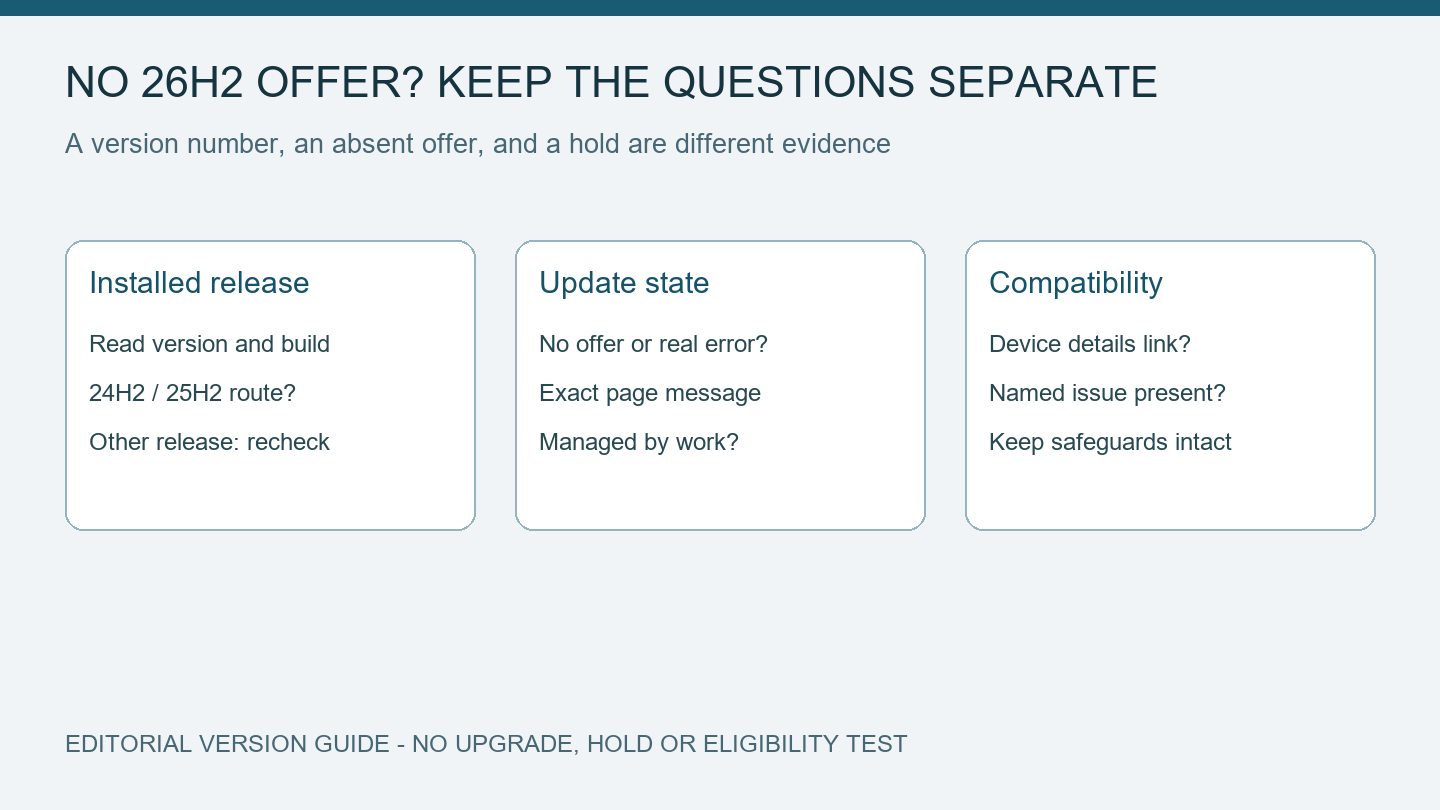
Microsoft rollout blog, 26H2 release health, and safeguard support documentation reviewed October 5, 2026 with AI assistance. No 26H2 installation or individual eligibility test was performed. Alex Reed is an established pen name.
If Windows Update has no offer for Windows 11 version 26H2, first record your installed version and the message Windows Update shows. Microsoft began the rollout on September 29, 2026, with eligible 24H2 and 25H2 devices, and says availability will expand in phases. No offer on one PC does not by itself show that Windows Update is broken or that a specific compatibility hold applies.
This is a guide to interpreting an absent offer, not a way to force the upgrade. We reviewed Microsoft's rollout and safeguard documentation on October 5. We have not tested a 26H2 installation, a compatibility hold, or your PC's eligibility. The diagram describes separate questions to resolve.
Read the installed version before comparing offers
Use winver to note your Windows version and OS build. Keep the PC's model and whether your organization manages updates with that record. Then copy the actual Windows Update message, including any named feature update, pause, restart, or error. A friend's successful update on a different model supplies no eligibility result for yours.
Microsoft's 26H2 announcement describes an enablement package for eligible devices on 24H2 and 25H2. Those releases share a servicing foundation; the package activates components provided through servicing. The small-package route described there should not be assumed for a PC on a different release just because it runs Windows 11.
| Your observation | What the rollout documentation establishes | What still needs checking |
|---|---|---|
| You run 24H2 or 25H2, with no 26H2 offer | Eligible devices on these releases are included in the phased rollout | Your individual offer, prerequisites, management, and any compatibility message |
| You already run 26H2 | The version change has occurred | Whether the particular feature you want has its own availability conditions |
| You run a different release, including 26H1 | The announcement's 24H2/25H2 enablement-package route does not establish your route | Official guidance for that installed release and device |
The row for another version deliberately leaves the route unresolved. It avoids treating a new PC's release number as a reason to apply a package intended for another servicing branch. Check the PC manufacturer's guidance alongside Microsoft's documentation before planning a version change.
An absent offer and a failed update are different records
On an eligible personal PC, the rollout announcement points users to Settings > Windows Update and the option to get the latest updates as soon as they are available. It also says Microsoft may place safeguards when a known compatibility issue could affect an upgrade. Enabling that preference does not supply a promise of an immediate offer for every device.
The 26H2 release-health page provides the current rollout and known-issue information. Compare its date and affected versions with your record. A known issue listed on that page is not automatically a safeguard affecting your PC; the individual message or management evidence needs to support that conclusion.
If there is no offer and no error, keep the record as an availability question. If Windows has offered 26H2 and a download or installation then fails, record the error and the stage of failure. That second case requires troubleshooting the actual error rather than repeating rollout advice. A missing Wi-Fi adapter is also a separate symptom; the adapter-after-update guide starts with its device state.
Follow a compatibility message without bypassing it
Microsoft's safeguard explanation says a hold can prevent a device with a known issue from being offered a feature update. Its lifespan depends on the underlying issue. That older support article illustrates a particular Windows-upgrade message; it does not guarantee identical wording for every 26H2 device.
If your own message offers a details link, read that device-specific explanation and note any named application, driver, hardware, or issue. Use the vendor's official update instructions for a named component. Avoid deleting software, changing compatibility policy, or downloading a feature-update package from an unofficial site merely to clear the message.
If the PC is managed by work or school, ask IT which release is targeted and which deployment stage includes the device. The announcement describes organizational deployment through existing management tools. The choice shown on a home PC is not a reason to override a managed update schedule.
Leave a dated record for the next check
Keep this small record before changing anything:
Date checked:
Windows version and build:
PC model and managed/personal status:
Exact Windows Update message:
26H2 offered, absent, downloading, or failed:
Details link or error code, if present:
One change made and the result:
If you make an ordinary, supported update change, note it separately and read the page again afterward. Avoid changing several drivers and update settings at once. Without that separation, a later offer tells you little about which change mattered or whether the rollout simply reached the PC.
For an absent offer with no device-specific explanation, the defensible result is that the cause remains unconfirmed. Continue the normal supported update process and recheck Microsoft's rollout status. The diagram and blank record here do not establish a hold, a successful upgrade, or a repair. Our public-page checks are due October 6 and October 12; review the technical guidance sooner when Microsoft changes rollout conditions.
