
 Documentation-based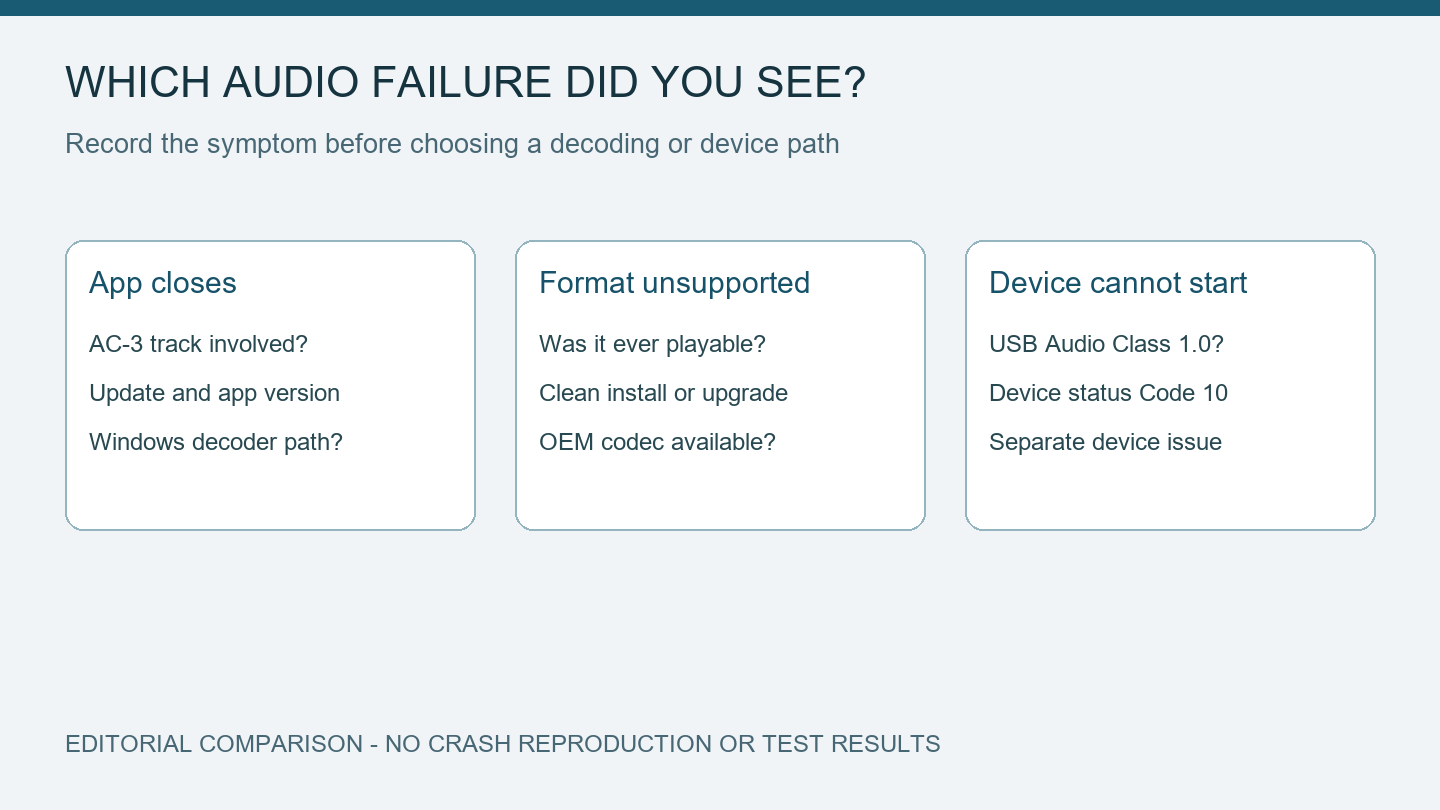
Microsoft release health and Media Player documentation reviewed October 5, 2026 with AI assistance. No crash, codec installation, or recovery was tested. Alex Reed is an established pen name.
If an app closes when it starts playing Dolby Digital audio after the September 22, 2026 Windows update, check the app's audio track and your installed update before reinstalling sound drivers. Microsoft confirmed an AC-3 decoding issue on October 2. The notice covers Windows 11 versions 24H2, 25H2, and 26H2; it does not establish the cause of every player or game crash.
This page separates that new regression from a missing codec and from a USB audio device that cannot start. It is based on documentation reviewed October 5, 2026. We have not reproduced the crash or tested a workaround. The comparison record below is a proposed way to collect evidence, with no measured results.
Match the update and the playback symptom
Microsoft's release-health notice identifies KB5124010, released September 22, and later updates. Its example 25H2 build is 26200.9550. An affected application may fail to open, exit without warning, or close only when a feature such as music playback runs. Microsoft says the issue involves applications that rely on the affected Windows decoding component, often older applications. Many modern apps use their own decoder and may avoid this particular failure.
Write down the Windows version and OS build from winver, then the relevant KB and installation date from Windows Update's Update history. Match both the version and update; a build number copied from a different Windows release is a poor comparison. Also record the app's name and version, the action immediately before it closes, and whether it used to work on this same installation.
An update followed by a crash is a useful timeline, but it leaves several possibilities open. A player update, a damaged file, an add-on, or a different decoder can change the result. The record becomes more useful when it includes a specific file and a repeatable point in playback.
Three audio problems that need different next steps
| What you can observe | Question to resolve | Next direction |
|---|---|---|
| The app closes on an AC-3 track after KB5124010 or a later update | Does this app use the affected Windows decoder? | Compare the release-health scope with the app developer's guidance |
| The app reports an unsupported format or plays video without the expected audio | Was AC-3 available in this installation before the problem? | Check the codec and installation-history distinction below |
| A USB sound device has Code 10, or Sound settings become unresponsive | Is the device failing before the app attempts decoding? | Use the separate USB Audio Class 1.0 update guide |
These rows describe observations to collect. They are not confirmed diagnoses, and more than one problem can exist on the same PC. A silent file by itself does not prove either an update regression or failed hardware.
Missing AC-3 support can predate this update
AC-3 is also called Dolby Digital. Microsoft's Media Player support page explains that Windows stopped including this codec with version 24H2. A manufacturer may provide it, and an upgrade from an earlier Windows version can retain it. Consequently, two PCs with the same current Windows version can have different codec availability.
If the file never played on a clean installation, keep that history separate from an application that began crashing after September 22. Ask the application or PC vendor which AC-3 implementation it supports. Avoid installing a collection of codecs simply to make every possible format appear: it makes the next comparison harder to interpret.
Collect a comparison the app developer can use
Keep your original media file unchanged. Use the application's own track information, if available, to identify the audio codec. A filename ending in .mp4 or .mkv does not settle which audio track the app is decoding. If the app has several selectable tracks, record which one you selected.
Make a small record with these fields:
- Windows version, build, and most recent relevant KB.
- Application version and the codec shown for the affected track.
- Whether the app exits at launch, at playback start, or at a reproducible timestamp.
- The result for a different file that the application identifies as using another audio codec.
- Any error text or application crash information already shown by Windows.
Change one item for each comparison and describe the result in plain words. If a non-AC-3 file works, that narrows the question; it does not prove which decoder the application used. If an alternate player works, it may use a different decoding path. That result can help you continue working without establishing that Windows has been repaired.
Send a minimal description to the app developer rather than uploading private media or a full system log to a public forum. Keep account names and file paths out of a shared screenshot. The developer may be able to identify the decoding dependency from the app version and a small, permitted sample.
What to do while the issue is confirmed
At our October 5 review, Microsoft's notice lists this issue as confirmed and says a resolution is being prepared for a future Windows update. It does not provide a universal fix or an approved codec installer. Recheck the notice before applying advice that claims a particular KB has resolved it.
Use an existing, trusted application or another supported media track if it allows you to complete the task. Preserve the original file and document that this is a temporary alternative. Obtain application updates through the application's official update channel. For a managed work PC, give the comparison record to IT before changing Windows updates or installed decoding components.
This guide does not recommend uninstalling a security update or replacing system codec files. A network reset concerns a different part of Windows and provides no evidence about this decoding fault. If the crash occurs even before media playback, or affects unrelated applications, keep investigating that wider failure instead of treating every symptom as AC-3 related.
Public-page checks are due October 6 and October 12. Revisit the technical guidance sooner when Microsoft changes the issue status or the affected app publishes a specific fix.
